

Topics
The S1000D implemented in Corel DESIGNER
2026-01-20
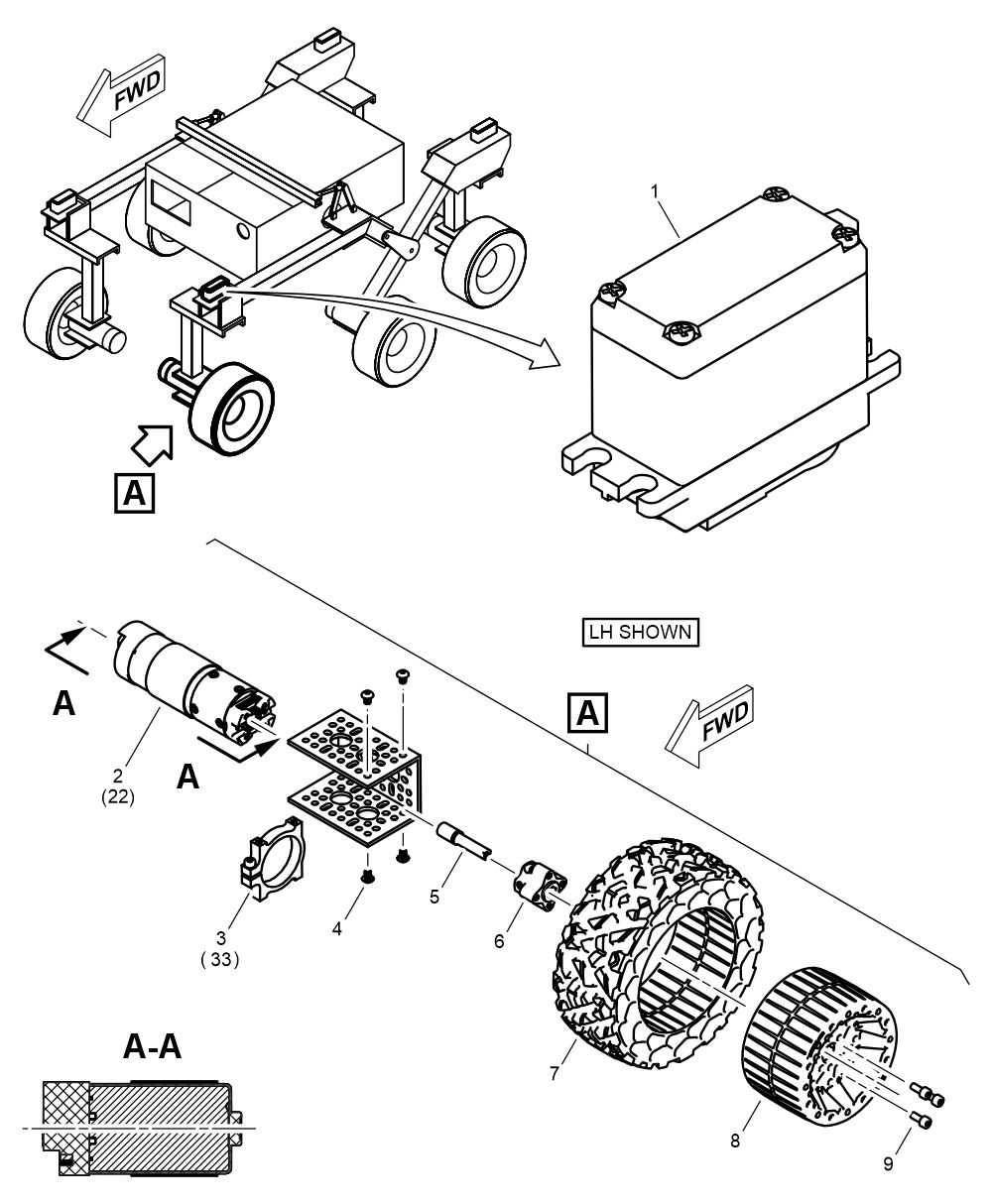
The S1000D specification is the international standard for technical publications in aviation, defense, and complex industrial projects. Illustrations according to S1000D are not just visual additions, but an integral part of the information structure. No other specification sets such a detailed and concrete framework for technical illustrations. Ready for application and relevant to practice, S1000D provides guidelines for user-centered visualizations in chapters 3.9.2.1 to 3.9.2.3.
”What good is the best standard
Marco Jänicke
if its implementation in the tool
is not optimal?
But what good is the best standard, what good is the best framework, if the implementation in the tool is not optimally designed? For this reason, I have implemented S1000D for Corel DESIGNER with templates, settings, and libraries, and am making them available here. Implementing and using the files is no problem for experienced Corel DESIGNER users. If you need assistance, please contact me.
Template (CDT Corel DESIGNER Template)
CDT files are classic template files that, in the case of Corel DESIGNER, contain object styles, page settings, and functional settings. Technical illustrations in Corel DESIGNER are created based on CDT files.
The CDT file must be copied to the template folder. The folder can be found in DESIGNER under Options / Global / File Locations / Templates, where it can be viewed and modified, and can be placed on a network drive for the team, for example.
- S1000D Template [Version].cdt
Styles (CDSS Corel DESIGNER Style Sheet)
CDSS files contain object styles, just like CDT files and DES files, but only these. CDSS files are used to transfer and update object styles between illustrations.
CDSS files are not files that DESIGNER uses live.
- S1000D StyleSheet [Version].cdss
Workspace (CDWS Corel DESIGNER Workspace)
CDWS file with customizations for Corel DESIGNER, such as keyboard shortcuts, custom toolbars, and convenient access to object styles. The assignment of object styles only works in conjunction with DES files based on the S1000D template.
The workspace is activated via Options / Workspaces / Import.
- S1000D Workspace [Version].cdws
Color palette (XML)
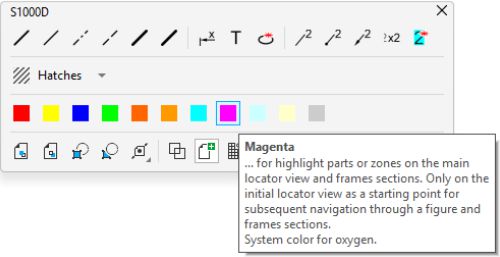
XML file for a color palette with color definitions according to S1000D (Chap. 3.9.2.3 / 2.2.1). The color palette is a direct way to assign properties to objects.
The color palette (XML) must be copied to the palette folder. The folder can be found in DESIGNER under Options / Global / File location / Palettes, where it can be viewed and modified, and can be placed on a network drive for the team, for example.
- S1000D Standard color palett RGB.xml
Drawing profile for projected drawing mode (PST)
PST file with settings for an isometric drawing profile without shortening in the three main axes. The default setting for shortening in Corel DESIGNER is 81.6%, which is correct and complies with ISO 5456-3, but S1000D works without a shortening factor.
The PST file must be copied to the folder C:\Users\[User]\AppData\Roaming\Corel\CorelDRAW Technical Suite [Version]\Designer\Presets\DrawingProfile. If you have the appropriate rights, the PST file can also be copied to C:\Program Files\Corel\CorelDRAW Technical Suite\[Version]\Designer\Presets\DrawingProfile.
- Isometric (30, 90, 30) 100%.pst
Symbol libraries (CSL Corel Symbol Library)
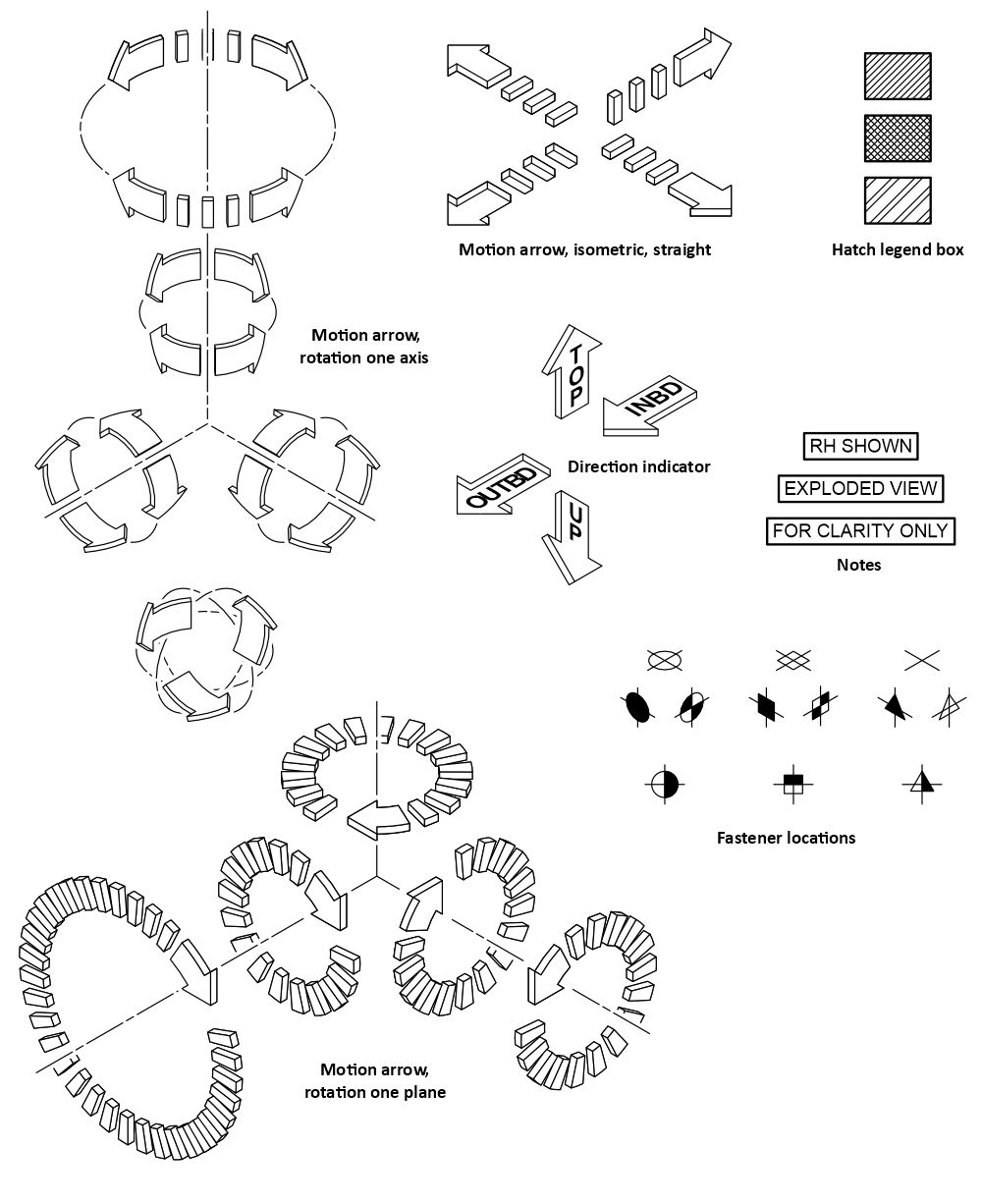
CSL files contain reusable, referenceable graphical content (symbol libraries) that can be shared within a team from a source on the local network. All S1000D symbols (chapters 3.9.2.1 / 2.3) are compiled in several CSL files.
The CSL files can be copied to the symbols folder. The folder can be found and changed in DESIGNER under Options / Global / File location / Symbols. For teamwork, I recommend linking a network path in the docker Symbols / Network symbols.
To keep links between symbol libraries and illustrations functional, these files do not have versioning in the file name.
- S1000D Brackets.csl
- S1000D Details and Sections.csl
- S1000D Direction indicators.csl
- S1000D Fastener and rivet locations.csl
- S1000D Flagrefs.csl
- S1000D Hatch Legend.csl
- S1000D Illustration sizes and orientation.csl
- S1000D Motion arrows.csl
- S1000D Notes.csl
Ready-to-use templates, settings, and libraries according to S1000D
for Corel DESIGNER available for download
Included are:
- S1000D Template [Version].cdt
- S1000D StyleSheet [Version].cdss
- S1000DD Workspace [Version].cdws
- S1000D Standard color palette RGB.xml
- Isometric (30, 90, 30) 100%.pst
- S1000D Brackets.csl
- S1000D Details and Sections.csl
- S1000D Direction indicators.csl
- S1000D Fastener and rivet locations.csl
- S1000D Flagrefs.csl
- S1000D Hatch Legend.csl
- S1000D Illustration sizes and orientation.csl
- S1000D Motion arrows.csl
- S1000D Notes.csl
For most files, versioning is provided in the file name:
- A … X stands for a major version with significant changes
- 1 … 9 stands for a minor version with formal updates.
For example, the workspace “S1000DD Workspace A2.cdws” is the first major version (A) with the second (2) containing formal updates. Versioning is maintained for each file.
All files can be used with Corel DESIGNER version 2025 or later.
If you are working with a higher Corel version, first open the CSL and save it in the Corel version you are using.
 The downloads are not subject to copyright protection.
 IBJ auf LinkedIn
  IBJ auf Instagram
  IBJ on X
  IBJ on XING